Free
$0
- 15 successful handoffs
- No credit card required
 CapSend
Add to Chrome
CapSend
Add to Chrome
A faster path from screen to AI
Turn anything on your screen into an AI conversation in seconds.
Capture what you want to ask about, speak or type your question, choose your AI, and CapSend prepares everything for you.
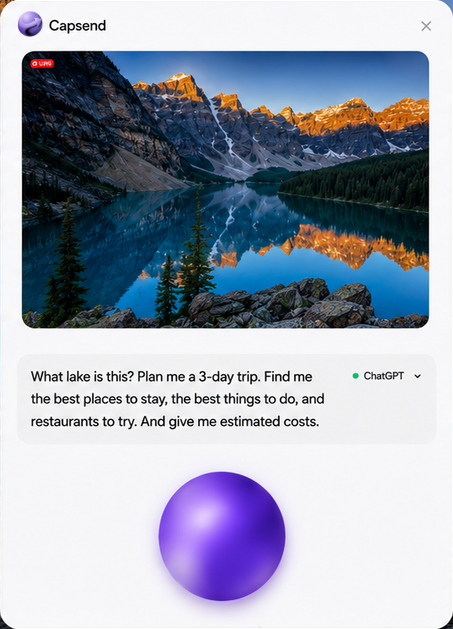
Product demo
How it works
Select anything you want to ask about.
Say what you want AI to know.
Choose your AI and send.
Your choice of AI
CapSend is an independent productivity tool and is not affiliated with or endorsed by these AI providers.
Privacy by design
During normal use, your screenshots, prompts, and raw microphone audio are not uploaded to CapSend's backend.
Read the Privacy PolicySimple pricing
Free
$0
CapSend Unlimited
$4.99/month
FAQ
CapSend is an independent productivity tool—not an AI service—that prepares a selected screenshot and/or prompt in an AI service you choose.
ChatGPT, Claude, Gemini, Grok, and Microsoft Copilot.
No. During normal use, CapSend does not upload or store screenshots or prompts on its backend.
You can subscribe to CapSend Unlimited for $4.99 per month to keep using Capture + Voice and Voice Only without the trial limit.
Yes. You can cancel through the secure subscription-management portal and keep access through the paid-through period.